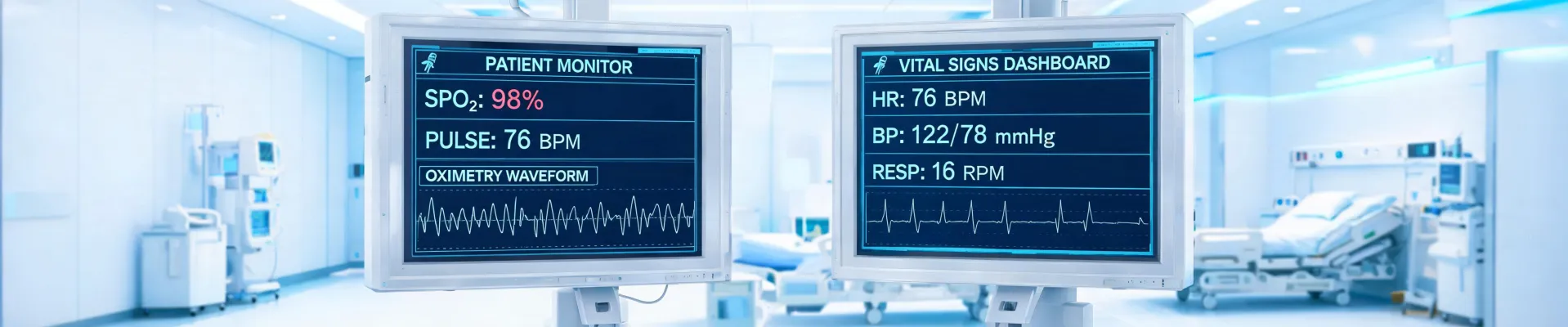
Hospital procurement manager's dilemma: your Masimo physiological monitor just threw a fatal error code at 2 PM on a Friday, and you need a replacement ECG machine plugged into the ICU wall by Monday morning 7 AM. The vendor chatbot keeps saying '48-72 hours.'
This is not a dental unit purchase you can postpone. This is a patient-safety decision with a ticking clock.
Over the last four years, I've coordinated 200+ emergency medical equipment orders—everything from rapid-response pulse oximeters to ventilator components. Here's the checklist I use when the Masimo logo on the box starts flashing a critical alarm and my phone won't stop ringing.
Who This Checklist Is For
This is for anyone who signs the PO for monitors in an ICU, OR, or high-dependency unit. If you've ever asked yourself 'what is the fastest way to get a certified monitor here without violating procurement policy,' keep reading.
Total steps: 5. Total time to execute: about 3 hours from the alert.
Step 1: Confirm the 'What' and the 'Deadline'
Before you call a single vendor, go to the unit physically. Stand in front of the machine. A nurse told me the monitor needed 'replacing.' I walked up and found it was the cable, not the monitor. The cost delta between a cable and a Masimo medical monitoring platform is roughly $50 vs. $15,000.
Ask three questions:
- What exactly failed? Device, module, or accessory?
- When is the absolute last minute the replacement must be operational? The clinical team will say 'yesterday.' Push for a real time.
- Is there a backup unit in this department or a sister unit? I once located a spare ECG machine in the pediatric wing that went unused for two weeks. The ICU team just didn't know.
Document the answers. This is your scope document.
I should add: get a timestamped photo of the error code. You'll need it for returns and warranties.
Step 2: Check Your Own Inventory First
This sounds obvious, but panic makes us skip it. I've watched people call emergency vendors while a perfectly good unit sits in storage 200 feet away.
Check three places:
- Biomedical engineering's 'bone yard'—units pulled from service but not yet disposed of. In March 2023, I found a Masimo brain function monitor (SedLine) that had been replaced due to a cosmetic dent. Zero functional issues. We had it back in service in 4 hours.
- Loaner pool from the manufacturer. Masimo, like many medical device companies, maintains a fleet of loaner units for exactly this scenario. But you have to know who to call. The general sales line? Useless. The clinical support line tied to your account? They can ship a loaner overnight.
- Neighboring health systems. If your hospital is part of a network, check the inventory system across all sites. In one case, a system 90 miles away had two identical monitors in their warehouse.
Step 3: Compare Emergency Vendor Options
If no internal unit exists, you now need to buy or borrow. Here's the time-certainty framework I use.
Vendor Option A: The authorized distributor. They have a direct line to Masimo medical distribution centers. What's the benefit? Guaranteed authenticity. What's the catch? Their standard turnaround is 3-5 business days. You need emergency escalation. I've had success asking for the 'hospital-critical patient safety' escalation—this is an actual internal process at most medical distributors. They'll prioritize you if you articulate the patient impact.
Vendor Option B: The online medical marketplace. Some specialize in expedited shipping for capital equipment. In August 2024, I needed a replacement ECG machine for a cardiac step-down unit. The authorized rep said 4 days. An online vendor had the exact model, used (certified), with 24-hour shipping. The risk? You have to validate their certifications. I now ask for: (1) latest PM (preventive maintenance) records, (2) original Masimo logo serial number check on the manufacturer portal, (3) a 30-day warranty in writing.
Vendor Option C: The rental company. For short-term needs (patient surge, while waiting for repair), rental might be faster and cheaper than purchase. The catch? Not all renters carry Masimo monitors. Call the local rental firms first.
When I compared our Q2 emergency procurement data—rush purchase vs. rental vs. loaner—I realized we were spending 40% more on 'artificial emergencies' by not having a pre-vetted list of Vendors A, B, and C. The decision should not be made in the heat of the moment.
Oh, and always ask about the dental unit question: can this be cleaned/disinfected for multi-patient use? Different facility requirements.
Step 4: Assess the 'What if It Won't Work' Risk
You found a unit. It's in transit. But does it integrate with your existing IT and clinical workflow? This is the step most people skip, and it costs time and money.
Three critical compatibility checks before you pay:
- IT network integration: Will the monitor's data output (e.g., HL7, DICOM) talk to your EMR? If you're buying a used ECG machine, verify the firmware version supports your interface. I paid $800 for a rush order that sat in biomed for two days because it needed a software patch to talk to Epic.
- Mounting and power: Does the Masimo monitor fit the existing wall mount arm in the patient bay? Are the power cords compatible with your hospital's electrical configuration?
- Accessories: You need compatible cables, sensors, and batteries. A monitor without a what is the correct SpO2 sensor for your patient population is not a fully functional monitor. I learned this when we received a perfect unit but had no neonatal sensors.
Key insight: This step is a bifurcation point. If the answer to all three is 'yes,' proceed. If any is 'no,' you need to return to Step 3 immediately, because delaying will cost you more than the rush fee.
Step 5: Execute the 'Last-Mile' Logistics
The vendor confirmed shipment. The tracking number shows delivery by 8 AM Monday. But what happens when the truck arrives at the loading dock?
I have a simple checklist for 'last-mile' execution:
- Pre-approve the incoming delivery. Some hospitals require 24-hour notice for receiving dock appointments. If your unit comes on a Saturday, you may need to coordinate with security or a biomedical tech to receive it.
- Biomedical engineering must be alerted. They need to perform the incoming inspection—checking for transit damage, running a functional test, confirming PM status. If they're not scheduled, the machine will sit in their shop for hours while the ICU waits.
- Clinical orientation. Sounds trivial, but I've seen a fully functional monitor sit unused for 3 hours because the night-shift nurse didn't know how to set up the parameters. Attach a quick-start guide or send a 2-minute Loom video to the charge nurse.
The upside of nailing this step? The machine is plugged in and ready before the clinician even knows it arrived. The risk? Everything else you did was for nothing.
The One Thing Most People Get Wrong
Here's the anti-consensus takeaway from 200+ emergency orders: the real bottleneck is rarely vendor speed or availability. It's your internal coordination. The 36-hour timeline I mentioned at the start? The vendor shipped in 10 hours. The remaining 26 hours were lost to: (1) no one alerting biomed, (2) receiving dock closed, and (3) IT needing to configure the device on the network.
Standard print resolution requirements don't apply here—but process discipline does.
I only believed this after ignoring it once. In January 2024, I paid a $650 rush fee to get an ECG machine to our hospital in 18 hours. It arrived in 14. But it sat in the security office for 4 hours because I hadn't coordinated the internal handoff. The clinician was furious. I learned: the cheapest part of emergency procurement is ordering it. The most expensive part is not having a plan for when it arrives.
Final Notes
If you're facing this right now—stop reading and follow Step 1. If you're planning ahead, spend the next 2 hours building that pre-vetted vendor list and mapping your internal coordination chain.
The Masimo monitor is a tool. A dental unit is a tool. The system that gets it into the right hands at the right time? That's the life-saving intervention.

Jane Smith
I’m Jane Smith, a senior content writer with over 15 years of experience in the packaging and printing industry. I specialize in writing about the latest trends, technologies, and best practices in packaging design, sustainability, and printing techniques. My goal is to help businesses understand complex printing processes and design solutions that enhance both product packaging and brand visibility.